
main id="main-content" role="main">

Product

Everything Knowhere does.

Knowhere runs the whole booth. Event setup, the visual schedule, conflict detection that catches the double booking before it happens, public booking, team coverage, and customer history that outlives the show. This is the full list.

150+ capabilities across 24 areas of the product

01 / The setup

Stand up an event in minutes.

Every show starts the same way. Name it, set the dates, build the rooms. Knowhere walks you through all of it.

  • Guided setup wizard

    A step by step flow for event details, operating hours, rooms, team, and sharing.

  • Event configuration

    Edit a live event from one place, organized into tabs for details, schedule, briefing, and more.

  • Multi-event management

    One view across every event your company runs, past and upcoming.

  • Rooms and demo stations

    Define physical and virtual spaces with capacity, color coding, and floor location.

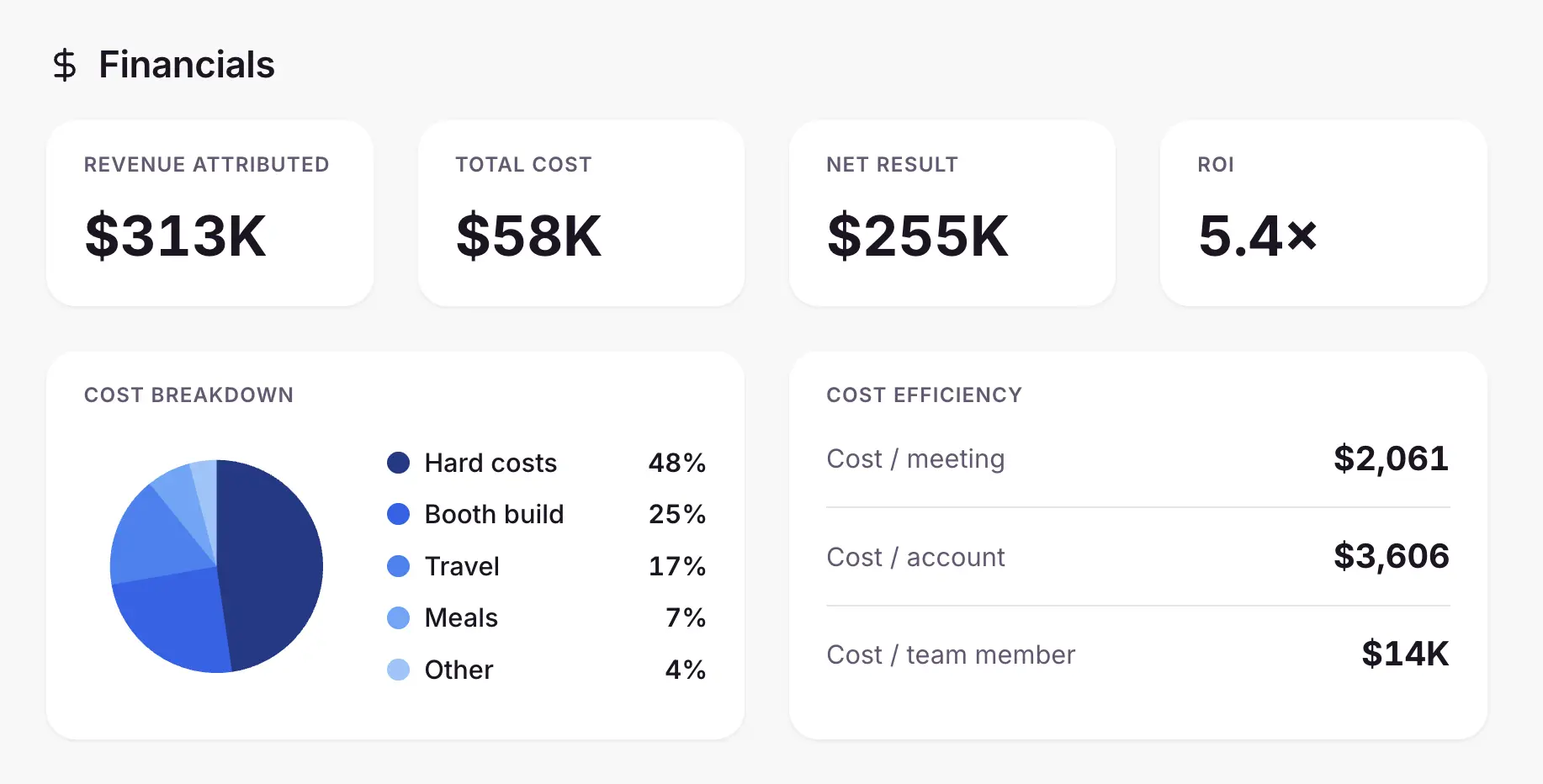
  • Financial tracking

    Budget, costs, and per-meeting pricing with a cost breakdown per event.

Knowhere guided event setup wizard
02 / The schedule

See every meeting, by room and by person.

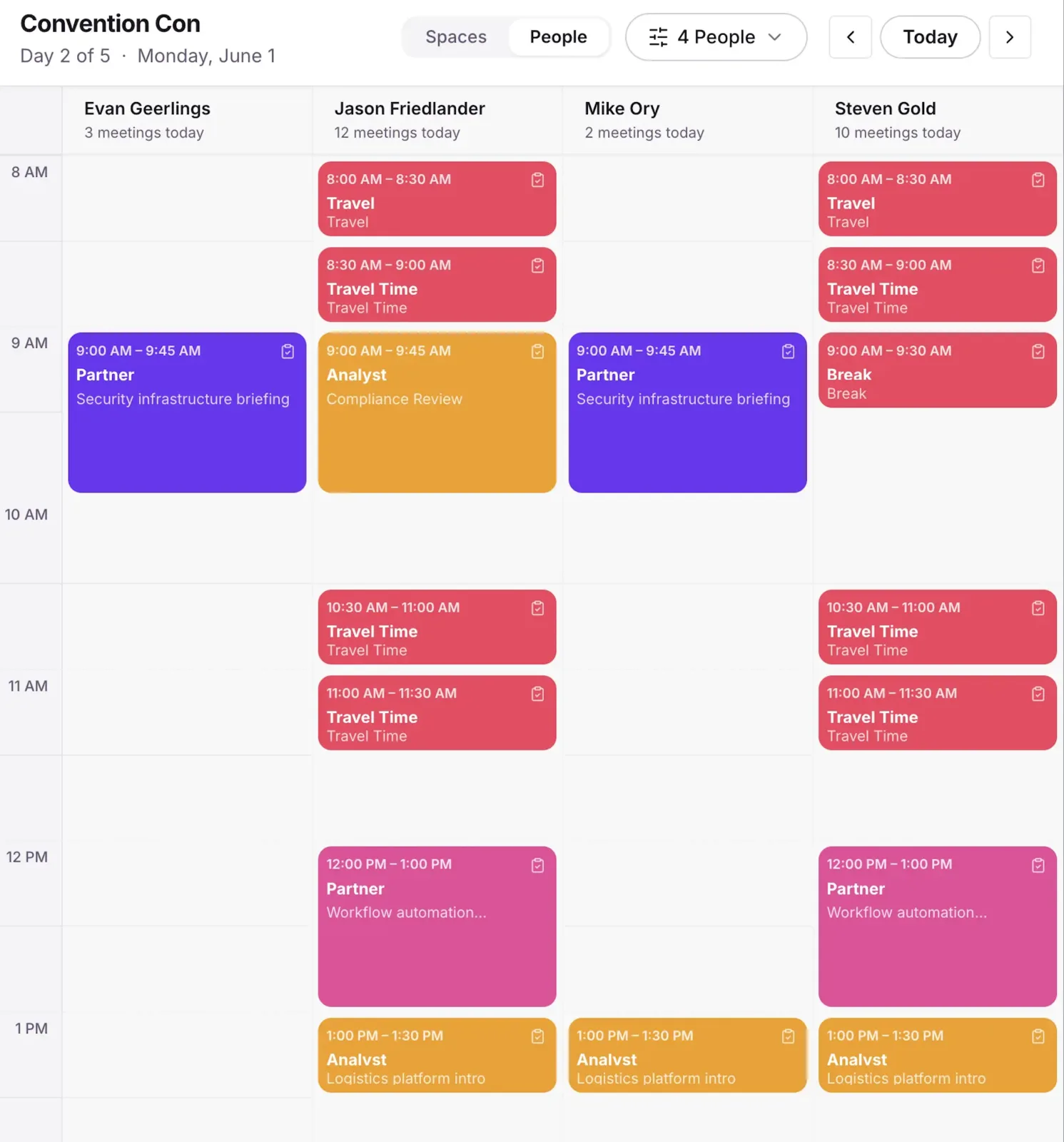
Book a meeting in seconds. Watch it land on a grid laid out by space and by team member. Check people in when they arrive.

  • Meeting booking

    Title, type, time, duration, room, attendees, owner, status, and notes in one form.

  • By-space and by-people grids

    Every meeting laid out by room or by team member on a 30 minute timeline.

  • Attendee and company pickers

    Add internal team members and external company attendees to any meeting.

  • Recurring meetings

    Repeat a meeting across the exact event days you choose.

  • On-site check-in

    Record attendance from a check-in sheet, started straight from the grid.

Knowhere visual scheduler showing color-coded booth meetings across rooms
03 / Conflict detection

Catch the double booking before it happens.

Every meeting is checked against every other meeting in real time. Two reps in one room, a gap in booth coverage, you see it before it bites.

  • Real-time conflict detection

    Double-booked people and rooms flagged the moment they collide.

  • Smart conflict alerts

    Same-room overlaps surfaced as you book, not after.

  • Conflict card

    Shows exactly which other meetings a meeting collides with.

  • Conflict override

    A planner can knowingly approve an overlap, recorded as an exemption.

  • Coverage gap alerts

    Open time blocks with no meeting flagged so booth coverage holds.

Knowhere conflict detection warning for an overlapping booth meeting
04 / Public booking

Let customers book you directly.

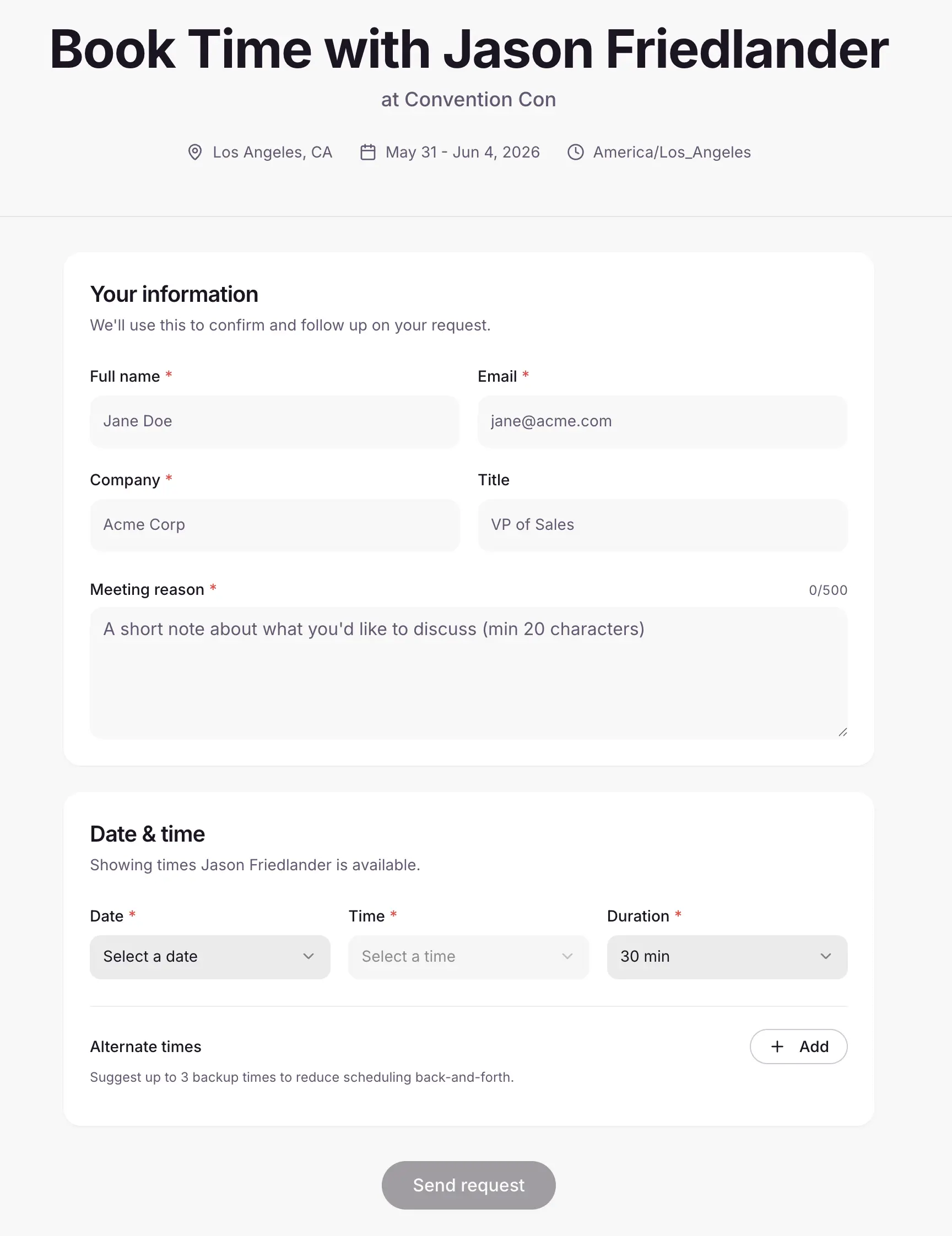
Share one link. Requests land in a queue. Approve a request and it becomes a real meeting with the details already filled in.

  • Public booking page

    A branded page where prospects and customers request meetings at your event.

  • Meeting request inbox

    Incoming requests land in a queue with pending, approved, and rejected tabs.

  • Convert request to meeting

    Approve a request and turn it into a meeting with attendee info pre-filled.

  • Branded calendar invites

    iCal invites go out on meeting create and update, carrying your branding.

  • RSVP flow

    Attendees accept or decline invitations with clear confirmation pages.

Knowhere public event booking page
05 / The team

Get the whole team on one schedule.

Invite the team, assign them to events, set their hours. Each member gets a streamlined view and a briefing before they arrive.

  • Team invites and assignment

    Invite by email and assign members to specific events, in bulk when you need it.

  • Availability management

    Members set available hours per day, with arrival and departure windows for travel.

  • Team member hub

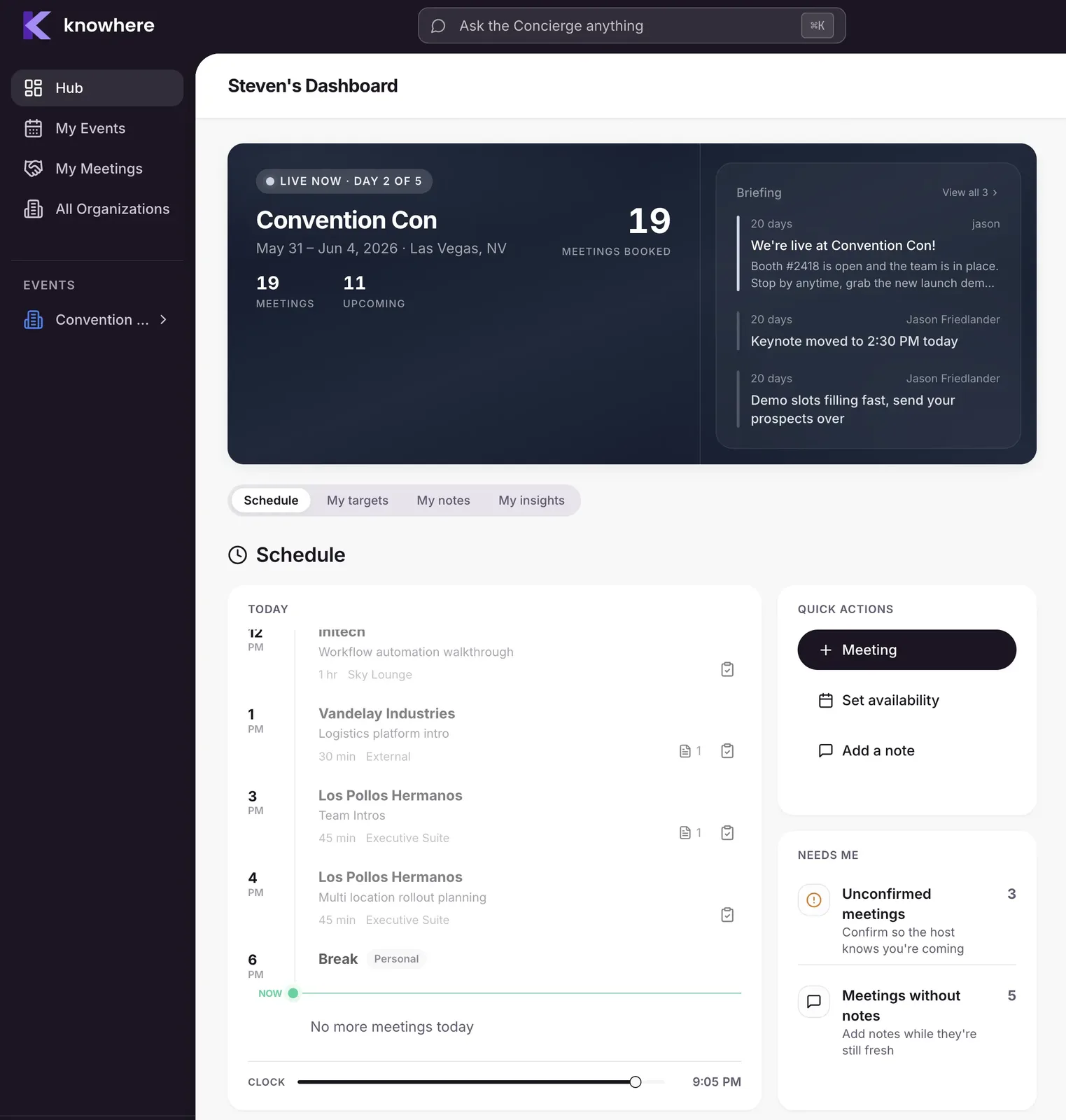
    A streamlined home with schedule, meetings, and personal insights.

  • Event briefing

    A hero page that orients the team before they arrive, with key stats up front.

  • Logistics and announcements

    WiFi, parking, venue details, and broadcast announcements per event.

Knowhere team member hub and event briefing
06 / Memory and intelligence

Keep the customer history the show tries to erase.

Who you met, when, and what was said. It stays in Knowhere after the booth comes down. Ask Concierge anything, and watch the numbers on the manager hub.

  • Accounts directory

    Every customer account and the people attached, with history across events.

  • Notes and debriefs

    Pre-meeting context and post-meeting debriefs, including voice memo upload.

  • Concierge AI assistant

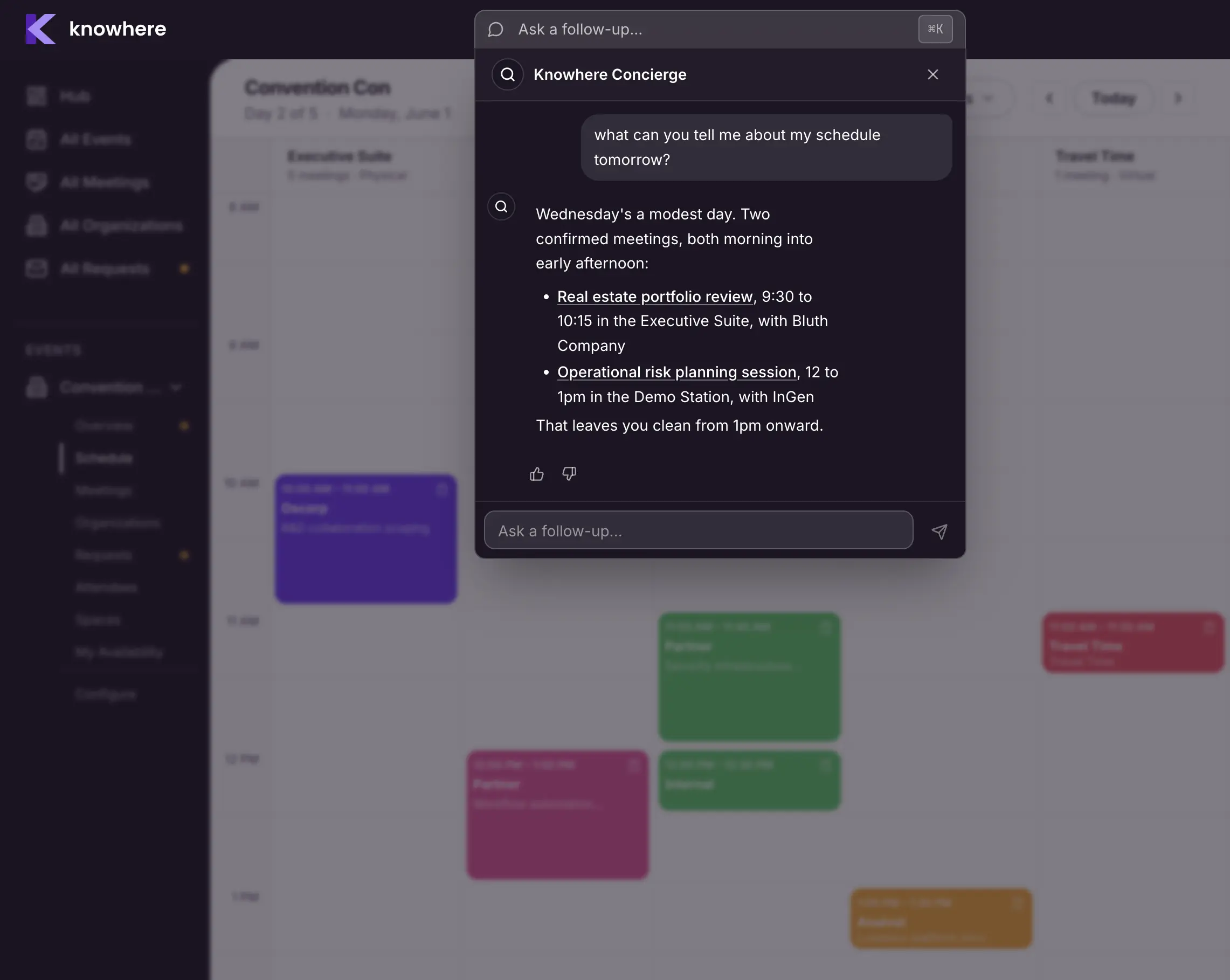
    Ask about your events, meetings, accounts, and team in plain English.

  • Manager Hub dashboards

    A live activity feed plus widgets for utilization, engagement, and team performance.

Knowhere customer history showing a customer's meetings across multiple shows
The full list

Every feature, by area.

Twenty-four areas of the product. Live features are shipped today. Coming soon items are on the roadmap and subject to change.

Events

  • Event creation. Spin up an event with name, location, dates, and timezone.
  • Guided setup wizard. A step by step flow for details, hours, rooms, team, and sharing.
  • Event configuration. Edit a live event from one place, organized into tabs.
  • Event overview dashboard. A per-event command center with stats, analytics, team, and notes.
  • Multi-event management. An all-events view across every event your company runs.
  • Event countdown. A live countdown to your next event that flips to a progress bar once it starts.
  • Financial tracking. Budget, costs, and per-meeting pricing with a cost breakdown.
  • Archive or delete event. Wind down an event safely from the Danger Zone.

Coming soon

  • Event logo and hero image uploads. Brand each event with its own imagery.
  • Auto-close public booking. Hide the booking widget once an event ends.

Rooms and Spaces

  • Rooms and spaces. Define meeting rooms and booths per event, physical or virtual, with capacity and location.
  • Room color coding. Assign each room a color so it reads instantly on the schedule.
  • Space detail page. Drill into a single room to see its meetings and utilization.
  • Room utilization tracking. See how heavily each room is booked.
  • Google Places integration. Type-ahead address lookup when setting up venues.

Meetings

  • Meeting booking. Create a meeting with title, type, time, duration, room, attendees, owner, status, and notes.
  • Internal and customer meetings. Distinguish team-only meetings from customer-facing ones.
  • Personal time blocks. Book breaks, lunch, and personal time without affecting team availability.
  • Meeting editing. Update any detail, with conflict detection running inline as you edit.
  • Duplicate meeting. Copy a meeting with attendees and details to rebook fast.
  • Recurring meetings. Repeat a meeting across the exact event days you choose.
  • Delete with confirmation. A clear confirm step so meetings are never removed by accident.
  • Meeting detail view. Full meeting info with attendees, room, time, notes, and status.
  • Meeting status. Track whether a meeting is confirmed or pending, with a badge everywhere it appears.
  • Global meetings view. An all-meetings view across every event, with status filters.
  • Repair tool for orphaned meetings. Cleans up meetings that lost their links.

Coming soon

  • Reusable meeting templates. Save a meeting setup and reuse it.
  • Export meetings to CSV or Excel. Pull your full meeting list into a spreadsheet.

Attendees

  • Attendee picker. Add internal team members and external company attendees to any meeting.
  • Company picker. Search and select the external companies attending a meeting.
  • Company attendee groups. Add named people with name, email, and title under each company.
  • Require a fields on meetings. Guards against meetings with no information attached.

Conflicts and Coverage

  • Conflict detection. Automatically flags double-booked people and rooms in real time.
  • Smart conflict alerts. Surfaces same-room double-bookings as you book.
  • Conflict override. A planner can knowingly approve an overlap, recorded as an exemption.
  • Conflict warnings in the activity feed. Conflicts show up in the manager activity feed too.
  • Coverage gap alerts. Highlights open time blocks with no meeting so booth coverage holds.
  • Default attendee exclusion. Tunes conflict logic to flag real clashes, not noise.
  • Availability conflict warnings. Warn when a booking collides with a person's set availability.
  • Show unavailable time in red. Render blocked time on the schedule so it is obvious.

Schedule View

  • By-space grid. See every meeting laid out by room.
  • By-people grid. See every meeting laid out by team member.
  • Day navigation. Previous and next controls and a date selector to move between event days.
  • Click-through to meeting detail. Click any meeting on the grid to open it.
  • Quick check-in from the grid. Start a check-in straight from the schedule.
  • Schedule builder. Build out the event's time slots.

Coming soon

  • Drag-and-drop rescheduling. Drag a meeting to a new time slot on the timeline.
  • Plan tab with free-slot highlighting. A planning view that surfaces open slots to fill.

Check-In

  • Check-in sheet. Record attendance for a meeting on site.
  • Attendee roster. A checklist of expected attendees to mark present.
  • Mark all present. Bulk-check the whole roster in one tap.
  • Walk-in attendees. Add drop-in people who were not on the original roster.

Public Booking

  • Public event booking page. A shareable page where customers request meetings, branded with your logo.
  • Booking link generator. Create and share the public booking URL per event.
  • Date and time slot selection. Visitors pick a date and an available time slot.
  • Duration picker. Choose a meeting length of 15, 30, 45, or 60 minutes.
  • Alternate time options. Visitors can offer backup times if the primary slot does not work.
  • Attendee and reason capture. Name, email, company, title, role, and a meeting-purpose field.
  • Spam protection. reCAPTCHA validation and rate limiting on the public form.
  • Meeting request inbox. Incoming requests land in an event requests queue.
  • Request status tabs. Filter requests by pending, approved, or rejected.
  • Convert request to meeting. Approve a request and turn it into a meeting with info pre-filled.
  • Booking on and off toggle. Open or close public booking per event, with a custom message.

Coming soon

  • QR code for public booking. A scannable code that opens the booking page.
  • WYSIWYG editor for the booking page. Visually customize the public page.
  • Per-event form customization. Tailor which fields the booking form asks for.
  • Personal team member booking pages. Individual pages for team members to share directly that only surfaces available times.

RSVP and Calendar Invites

  • Calendar invites. Send branded iCal invites wherever you create or update a meeting.
  • Cal invite notes. A meeting field whose text lands in the calendar invite description.
  • Branded invite rendering. Calendar invite emails carry your branding.

Coming soon

  • Customizable invite email templates. Business Customize the invite email per company.
  • Two-way Google Calendar and Outlook sync. Meetings flow both directions with personal calendars.

Team Management

  • Team member invites. Invite people by email with name and title.
  • Active and archived members. Separate views for current and removed team members.
  • Inline team member invite. Quick-invite from inside other flows, like editing a meeting.
  • Event assignment. Assign team members to specific events.
  • Event assignment email. Members get notified when they are assigned to an event.
  • First-time event onboarding wizard. A guided intro the first time a member opens an event.
  • Availability management. Members set their available hours per day during an event.
  • Arrival and departure windows. Mark travel days as unavailable.
  • Free team member tier. Invite-only members get scoped access enforced at the database level.
  • Team member removal. Cleanly remove a member, cascading their meeting links.

Coming soon

  • Bulk email invites. Paste a list of emails and invite a whole team at once.
  • Team member onboarding wizard. A guided first-run setup for brand-new members.

Team Member Experience

  • Team member hub. A streamlined home with overview, schedule, insights, and assigned events.
  • My schedule and calendar. A calendar view of the events and meetings a member is on.
  • My meetings. A filterable meeting list scoped to their assigned events.
  • My availability. Members set their availability per event.
  • Team member event view. An event-specific view tailored for the team member role.
  • My accounts. Members see the accounts tied to their own meetings.
  • Personal insights. Each member's own meeting stats and engagement metrics.

Coming soon

  • Mobile experience. A mobile layout with bottom-tab navigation and dedicated screens.
  • Native mobile app. A fully native iOS and Android app, longer term.

Accounts and Contacts

  • Accounts directory. Company-level and event-level views of every customer account.
  • Organizations table. External companies attending, with first event, last event, and meeting count.
  • Contacts table. Individual attendees with title, email, company, and lead status.
  • Lead toggle. Mark a person as a lead or prospect.
  • Company detail sheet. Open an organization to see its details and associated people.
  • Clickable customer profiles. Customer names on cards open a person detail sheet.
  • Person detail. Drill into a contact's company, meetings, and engagement history.

Coming soon

  • Customer directory edit and delete. Full edit and delete management for the contact directory.

Briefing, Logistics and Announcements

  • Event briefing. A hero page that orients the team before they arrive, with key stats up front.
  • Logistics. Cards for WiFi, parking, venue info, and travel, each opening to full detail.
  • Logistics manager. Add and edit logistics cards.
  • Announcements. Broadcast announcements to the team, shown as a strip with a full list view.
  • Announcements manager. Create and edit announcements.

Notes and Debriefs

  • Pre-meeting notes. Capture context on a meeting before it happens.
  • Meeting and debrief notes. Record notes during and after meetings, visible across the app.
  • Event notes view. Every note and debrief for an event aggregated in one place.
  • Voice memo debriefs. Upload a voice memo as a debrief instead of typing.
  • AI note summarization. Auto-summarize event notes into a digest.

Coming soon

  • Audio record meetings. Capture meeting audio to get detailed notes.
  • Debrief note templates. Start debriefs from a reusable template.
  • Aggregated meeting follow-ups. Roll all meeting follow-ups into the notes view.

Concierge AI Assistant

  • Concierge AI assistant. Ask questions about your events, meetings, accounts, and team in plain English.
  • Keyword search. Fast search across companies, contacts, and meetings.
  • Search mode. Find meetings, attendees, rooms, and events with highlighted matches.
  • Ask mode chat. A conversational interface with chat history and formatted answers.
  • Suggested actions. Concierge offers one-tap actions from its answers.
  • Built-in skills. Concierge can get your agenda, find free time, find conflicts, find open rooms, and pre-fill a meeting.

Plans and Billing

  • Subscription tiers. Team, Business, and Enterprise plans.
  • Pricing cards and plan selector. Compare plans with per-tier feature lists and pick one.
  • Stripe checkout. Secure checkout to start or change a plan.
  • Customer billing portal. Self-serve billing management through Stripe.
  • Plan limits. Per-tier limits on events, team members, and meetings.
  • Usage tracking. See current usage against your plan's limits.
  • Plan limit modals. A clear alert when you hit a limit.
  • Upgrade prompts. In-context prompts to upgrade or add capacity.
  • Feature gating. Premium features unlock by tier.
  • Add-on seats. Buy extra team-member seats on top of any plan.

    CRM

    • CRM connect. Connect Salesforce and HubSpot to Knowhere.

    Coming soon

    • Two-way CRM sync. Enterprise Full bidirectional sync with HubSpot and Salesforce.

    Notifications and Email

    • Branded HTML emails. A unified, branded email system across the product.
    • Calendar invite emails. iCal invites sent on meeting create and update.
    • Team invite emails. Invitations to join a company's team.
    • Booking notification emails. Alerts on new meeting requests and confirmations.
    • Event assignment emails. Notify a team member when they are assigned to an event.
    • Mention notification emails. Notify someone when they are mentioned in notes.
    • Passwordless OTP emails. One-time codes for sign-in.

    Coming soon

    • In-app notification center. An expanded in-app notification system.
    • Customizable email templates per company. Brand and word the emails yourself.
    • Email unsubscribe headers. Compliant one-click unsubscribe.
    • WhatsApp notifications. Meeting assignments delivered over WhatsApp.

    Account, Auth and Onboarding

    • Passwordless email sign-in. Log in with a one-time code, no password to remember.

    Coming soon

    • SSO with Google and Microsoft. Enterprise Enterprise single sign-on.

    Platform and Foundations

    • Multi-tenant isolation. Every company's data is isolated at the database level, no cross-tenant leakage.
    • Role-based theming. The UI re-themes by role, purple for managers and slate-blue for team members.
    • Real-time updates. Events, meetings, and attendees sync live across tabs and users.
    • Fast loading states. Skeleton placeholders across hubs, schedules, and tables while data loads.
    • Performance monitoring. Web-vitals tracking in production.
    • Email asset management. Upload and organize email template assets.

    Developer Platform

    Coming soon

    • Public API. A public API for third-party integrations on top of Knowhere.

    Privacy and Compliance

    Coming soon

    • GDPR data export. A self-serve data export endpoint under GDPR Article 15.
    • Right to erasure. Soft-delete-based account erasure that preserves audit integrity.

    See your next show before it happens.

    14 day free trial. Setup in 5 minutes. No IT involvement.